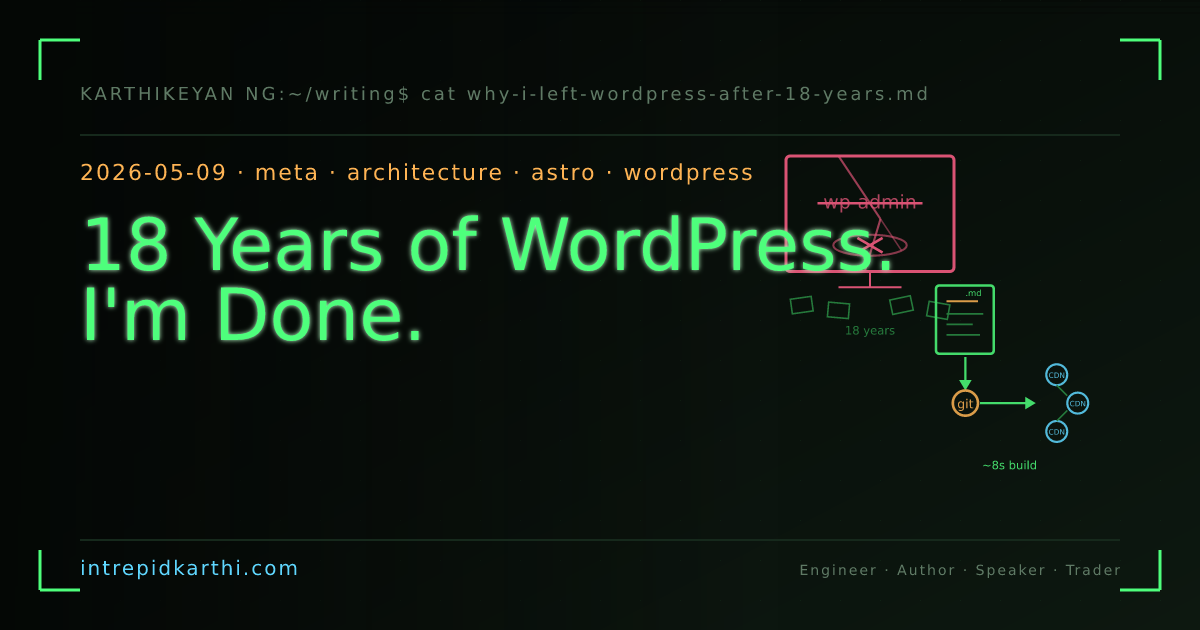
18 Years of WordPress. I'm Done.
After 18 years on WordPress — through plugin rot, database corruption, spam floods, and one too many 'critical update' emails — I rebuilt intrepidkarthi.com from scratch on Astro, Markdown, and Vercel. Here is the full architecture, the migration story, and why I should have done this a decade ago.
I started this blog in December 2007 on WordPress. The first post was “Let us walk on 2008” — written from the college computer center in Madurai. I didn’t have a credit card back then — I borrowed one from my friend’s dad to pay for the FastWebHost plan. The blog’s name was “I like the way I am”.
For the next eighteen years, WordPress was the engine. Through college, Symantec, GazeMatic, Chumbak, nference, Pi42 — every time I wanted to put words on the internet, it went through wp-admin.
I’m done with it.
what broke
Not one dramatic thing. More like a slow rot that crossed the line from “annoying” to “actively getting in the way of writing.”
Plugin rot. Eighteen years of installing, abandoning, and half-removing plugins. SEO, caching, anti-spam, social sharing — each one leaving orphan database tables behind, each one on its own update cadence. Sometimes an update worked. Sometimes it nuked the theme. Sometimes it took another plugin down with it. The dashboard turned into a triage console. Every login greeted me with a red badge screaming about things that needed patching.
Database corruption. I lost 58 posts — probably closer to 95 — across WordPress reinstalls and host migrations on FastWebHost. The wp_posts table just quietly dropped rows. No error, no warning. I only found out years later when I diffed the sitemap against the database and the numbers didn’t match. A third of everything I’d written, gone — because I assumed a MySQL instance on shared hosting was looking after itself.
Spam. Industrial-grade comment spam. Akismet stopped most of it, but “most” still left me wading through fake trackbacks and SEO-bait every week. At one point the spam table was bigger than the content table. I was paying to host a spam database.
Security. WordPress is the internet’s biggest attack surface. I patched diligently, but that meant logging into wp-admin every few days to check whether xmlrpc.php had a fresh CVE, whether a plugin author had sold out to someone pushing adware, whether my theme had a file-upload hole. I’ve been a CISO. I was spending more time securing a blog than writing in it.
The cPanel and phpMyAdmin tax. This one ground me down quietly. Every non-trivial change meant opening cPanel first. Page throwing a 500? cPanel → Error Logs. Need to check if a post actually exists? cPanel → phpMyAdmin → find wp_posts → type a SQL query into a web textarea that hasn’t had a facelift since 2005. Bumping PHP from 7.4 to 8.1? cPanel → MultiPHP Manager → cross fingers → check the site → site’s broken → back to phpMyAdmin to figure out why. Restoring a backup? cPanel → Backup Wizard → stare at a progress bar for twenty minutes while a tarball downloads over a flaky web interface. The entire blog ran through a browser-based control panel that felt like enterprise software from another era.
And then cPanel itself became the problem. In April 2026, CVE-2026-41940 dropped — a critical authentication bypass, 9.8 out of 10 on CVSS. Attackers could skip the login screen entirely and walk straight into full server admin. This wasn’t theoretical. It was actively exploited, with 44,000+ compromised IPs hammering servers, defacing sites, encrypting data. Hosting providers had to block cPanel ports at the network level just to stop the bleeding. The tool you trusted to manage your site turned into the door that got kicked in. I’d already migrated off by then, but watching it unfold felt like getting confirmation in the worst possible way.
The update treadmill. WordPress core. PHP. MySQL. Themes. Plugins. cPanel itself. SSL certs. Each update a potential breaking change. Each one requiring a manual backup first, because the WordPress rollback story is “restore from backup and hope.”
One morning I logged in, saw the dashboard demanding my attention on six different fronts, and thought: I’ve been babysitting this system for longer than some of my engineers have been alive, and it has never once made it easier to write.
So I stopped.
what replaced it
Astro — a static site generator that eats Markdown and spits out plain HTML. No database. No server. No PHP. No admin panel. No plugins. No login page for bots to hammer.
The full stack:
framework     │ Astro 6.1.9 (static site generator)
content       │ Markdown files in git (96 posts, 2007–2026)
schemas       │ Zod — type-safe frontmatter validation
styling       │ CSS variables + scoped component styles
fonts         │ JetBrains Mono · VT323
OG images     │ SVG templates → PNG via @resvg/resvg-js (build-time)
hosting       │ Vercel (free tier, CDN, auto-deploy on push)
version ctrl  │ git → GitHub (the blog is a repo)
domain        │ intrepidkarthi.com (migrated from FastWebHost to GoDaddy)
build time    │ ~8 seconds for 96 posts + 192 OG images
No microservices. No containers. No CI pipeline beyond “push to main.” The whole blog — every post, every image, every config — lives in one git repo I can clone on any machine and rebuild in under ten seconds.
the directory structure
src/
├── content/
│   └── posts/           96 markdown files (one per post)
├── components/          11 Astro components
│   ├── InteractiveTerminal.astro   (the shell at the bottom)
│   ├── PrinceRunner.astro          (the pixel sprite)
│   ├── EasterEggs.astro            (hidden interactions)
│   ├── MatrixRain.astro            (background effect)
│   ├── BootSequence.astro          (startup animation)
│   └── ...
├── layouts/
│   └── BaseLayout.astro  (HTML head, OG tags, JSON-LD, chrome)
├── pages/
│   ├── index.astro       (homepage)
│   ├── writing/
│   │   ├── index.astro   (archive, grouped by year)
│   │   └── [...slug].astro (dynamic: one page per post)
│   ├── about.astro
│   ├── contact.astro
│   ├── lab.astro
│   ├── mission.astro
│   └── og/
│       └── [slug].png.ts (per-post OG image generation)
├── data/
│   ├── goals.json        (40 life goals with status tracking)
│   └── lab.json          (projects, books, archived work)
├── lib/
│   └── motifs.ts         (SVG pattern library for OG images)
└── styles/
    └── global.css        (design tokens, CRT effects)

public/
├── og-default.svg        (site-wide OG template)
├── images/goals/         (40 SVG icons)
└── images/yaazhi.svg     (temple guardian — Madurai roots)
Every post is a Markdown file with a date-prefixed filename:
2026-05-09-why-i-left-wordpress-after-18-years.md
2026-04-28-feaws-whitepaper-explained.md
2008-01-02-new-year.md
2007-12-31-let-us-walk-on-2008.md
Frontmatter gets validated at build time by Zod schemas. Misspell a tag, forget a required field — the build fails before anything goes live. WordPress would happily publish broken metadata without telling you. Astro won’t.
content is just files
This is the part that actually matters.
In WordPress, a post is a row in MySQL. Reading it requires a running database. Backing it up means a SQL dump. Moving it means an export plugin that may or may not mangle your formatting. Version control? Good luck — there’s probably a plugin for that, and it probably doesn’t work.
In Astro, a post is a .md file in a folder. Read it in any text editor. Back it up with git push. Move it by copying the file. Version control? It’s already in git. Every edit has a commit hash. Every version is recoverable. git log is the revision history. git diff is the change tracker.
Those 58 posts I lost? Rows in a table that vanished during a reinstall. If they’d been Markdown files in a git repo pushed to two remotes, they’d still be here. That’s the gap between “the host has backups” and “I have backups.” The gap is 58 posts.
OG image generation
Every post gets its own Open Graph image — the card you see when someone shares a link on Twitter or LinkedIn. On WordPress this meant yet another plugin with its own dependencies and update cycle and config screen.
Here, OG images get built at compile time from SVG templates:
post tags + slug
      ↓
  motifs.ts (maps tags to SVG patterns: neural-net, candlestick,
             coin, sparkline, lock, circuit, etc.)
      ↓
  SVG template (title, date, tags, motifs, terminal styling)
      ↓
  @resvg/resvg-js (SVG → PNG at 1200×630)
      ↓
  /og/[slug].png (static file, served from CDN)
Fourteen topic motifs — candlestick charts for trading posts, neural networks for AI posts, locks for security posts. The system picks them based on tags and slug, so every card looks right without me touching a design tool.
No plugin. No external service. No API key. Just SVG math at build time.
the interactive terminal
There’s a working terminal at the bottom of every page. Type help for commands. whoami prints my bio. btc pulls a live price. ls lists pages.
On WordPress this would’ve been a custom plugin — jQuery, a REST endpoint, a database table for state, an admin settings page, the whole circus. Here it’s one Astro component: InteractiveTerminal.astro, 786 lines of self-contained HTML, CSS, and vanilla JS. No dependencies. Ships as static markup with inline script. The “commands” are switch statements. The crypto data comes from client-side API calls. If JavaScript doesn’t load, you just don’t see the terminal. The blog still works fine.
the easter eggs
I buried a few. Some fire on specific keyboard sequences. One wakes up at 3:33 AM. One checks the calendar. One needs you to click the right thing the right number of times.
On WordPress, doing any of this meant editing functions.php or writing a plugin, then testing it against every theme update, praying the next core release didn’t break wp_enqueue_script. Here each easter egg is a standalone component baked into the static build. Want to add one? Write it. Want to kill one? Delete the file. No database, no settings page, no ripple effects.
deployment
git push origin main
      ↓
  Vercel picks it up
      ↓
  Astro builds (96 posts → HTML, 192 OG images → PNG)
      ↓
  deployed to CDN edge nodes worldwide
      ↓
  live in ~30 seconds
That’s it. No FTP. No cPanel. No FastWebHost control panel. No “maintenance mode” splash while WordPress runs database migrations. No crossing fingers over PHP versions. The domain moved from FastWebHost — where it sat for 18 years — to GoDaddy, now pointing at Vercel’s edge network.
Write → commit → push → live. I’ve deployed more times in the last two weeks than in the last two years on WordPress, because deploying now costs nothing.
the migration
I pulled surviving posts from a cPanel SQL dump (wp_posts table), converted the HTML to Markdown, cleaned up formatting, and committed them as .md files. Wrote some migration scripts in Python — nothing fancy — for importing from the WordPress DB, from Medium (where some posts had been cross-posted), from LinkedIn, and from the Wayback Machine for posts that only survived as cached snapshots.
It wasn’t clean. WordPress stores content as HTML littered with shortcodes. Markdown doesn’t do shortcodes. Every [gallery] tag, every [caption] block, every inline-styled <div> needed manual review. 96 posts took about a week of evenings. But it was a one-time cost. The content now lives in a format that doesn’t need converting. Markdown is Markdown. It’ll still be Markdown in 2040.
what I don’t miss
- The WordPress dashboard
- cPanel and its 2003-era interface
- phpMyAdmin SQL queries in a browser textarea
- Plugin update notifications
- Comment spam moderation
xmlrpc.phpvulnerability disclosures- PHP version compatibility roulette
- The Gutenberg editor
- Taking database backups before every minor update
- “Your site is experiencing a critical error” emails
- Logging into three different admin panels just to publish a paragraph
what I gained
- 8-second builds. The entire site, OG images included, in under 10 seconds.
- Zero runtime dependencies. No database, no server, no PHP. Just HTML on a CDN.
- Git as the source of truth. Every change is a commit. Every version recoverable.
git log --onelineis the changelog. - Type-safe content. Zod catches frontmatter mistakes at build time, not in production.
- Free hosting. Went from paying FastWebHost for shared hosting + domain to paying GoDaddy for the domain alone. Vercel’s free tier handles the rest.
- Creative freedom. The terminal, the easter eggs, the pixel-art sprite, the CRT scanlines — none of this was realistic inside a WordPress theme. Here I just write components and they ship.
the lesson, 18 years late
WordPress is a CMS. A good one, if you actually need what a CMS does — multiple authors, visual editing, e-commerce, user roles, workflows.
I need none of that. I’m one person writing text and putting it on the internet. For that, WordPress was always the wrong tool. It just took 18 years of plugin rot, database corruption, spam, cPanel gymnastics, and security patches to make the obvious finally undeniable.
The right tool was always a static site generator, a text editor, and git. The right deploy was always “push to a CDN.” The right backup was always “the content is in version control.” I didn’t see it because WordPress was there — already running, already familiar — and inertia is the strongest force in software.
If you’re running a solo blog on WordPress and you’ve caught yourself thinking “this is way too much maintenance for what it does” — trust that thought. You’re right. The migration is a week of work. The payoff is permanent.
The source for this blog is public: github.com/intrepidkarthi/blog. Clone it, read it, take whatever’s useful. That’s what open source is for.